
Molex connectors can provide a handy way to easily remove or replace items (such as a monitor chassis or control panel) without rewiring. In this post, we’ll discuss how to install a Molex connector into your preexisting arcade cabinet wiring.
Read the rest of this entry »
August 5th, 2009 | Posted by Tim Peterson | Posted in Intermediate, Power Supply & Wiring

So you just bought your first game from the arcade auction but it’s locked and their was no key provided. You might be tempted to just pry the door open but that usually tears up the cabinet. In this post, we will discuss how to remove and replace a lock from a coin door without doing damage to your arcade cabinet.
Read the rest of this entry »
July 28th, 2009 | Posted by Tim Peterson | Posted in Intermediate, Miscellaneous
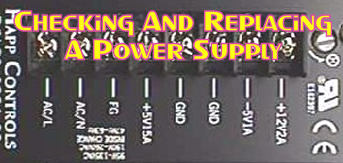
Power supplies are a great starting point if you are trying to troubleshoot problems with your arcade machine. Bad voltage can cause a variety of problems that can sometimes be mistaken for a bad board. In this post, we’ll talk about how to check a power supply for the correct voltage as well as how to replace a power supply should it go out.
Read the rest of this entry »
July 22nd, 2009 | Posted by Tim Peterson | Posted in Intermediate, Power Supply & Wiring

When you find pinball machines for sale in your local area, quite often they are in rough shape. The rubber rings might be broke, the ball might get stuck when you play it, and the playfield might have a thick layer of dirt on it. In this post, we will discuss some basic steps that you can follow to get your pinball machine looking and playing close to like it did when it was new.
Read the rest of this entry »
July 16th, 2009 | Posted by Tim Peterson | Posted in Intermediate, Pinball Repair

Installing a cap kit on your monitor chassis can be a great way to restore washed out colors as well as fix other problems that you might encounter. In this post, we will take a look at how to identify what cap kit you need and how to install it once you have received it.
Read the rest of this entry »
July 9th, 2009 | Posted by Tim Peterson | Posted in Advanced, Monitors / Screens

Wiring a push button can be a useful skill especially if you have just had a button stop working on you. In this post, we will discuss the different ways that you can wire a push button so that you can send the desired effect to your arcade board.
Read the rest of this entry »
July 3rd, 2009 | Posted by Tim Peterson | Posted in Control Panel, Intermediate

Knowing where to start when your monitor goes out can be a valuable time saver when repairing arcade games. In this post, our resident monitor repair guy Michael will give us some quick tips on how to troubleshoot some common issues.
Read the rest of this entry »
June 27th, 2009 | Posted by Tim Peterson | Posted in Advanced, Monitors / Screens

Those of you who are just now getting into the electronics part of arcade repair might wonder about where to start. This post contains some recommended books that will help you understand the basic electronics principles that are applied in arcade games.
Read the rest of this entry »
June 23rd, 2009 | Posted by Jonathan Leung | Posted in Beginner, Board / PCB

We know that many of you are hobbyist and are probably not too concerned about whether or not your coin mechs are working. If you’ve ever thought about owning your own arcade or starting your own route, however, this will be absolutely essential to your success. Here are some tips for adjusting a coin mech.
Read the rest of this entry »
June 19th, 2009 | Posted by Tim Peterson | Posted in Intermediate, Miscellaneous

Let’s face it, it’s not like you can go down to Home Depot and ask the guy if he has a joystick for a Ms. Pac Man machine. Odds are that he might not even know what a Ms. Pac Man is! There are some places, however, that carry many of the parts that you will need when repairing arcade games.
Read the rest of this entry »
June 16th, 2009 | Posted by Jonathan Leung | Posted in Beginner, Miscellaneous
